
2025 Guide
Why Fake Job Postings Are on the Rise
Remote work is booming. From freelance gigs to full-time online careers, millions are flocking to job boards in the hope of escaping long commutes and rigid office hours. But with this surge comes a darker reality—scammers are following the crowd.
In recent years, millions of people have been lost to employment-related scams in the U.S., and experts predict that number may rise in 2025. These scams disproportionately affect individuals seeking flexible work, including stay-at-home mothers, students, retirees, and anyone trying to earn a living from home.
Fake job postings are often designed to look legitimate but are crafted to steal your money, personal information, or identity. Understanding how to spot these traps is your best defense.
If you haven’t read it yet, check out my post on the Top 5 Work-from-Home Scams to Avoid in 2025 for real examples and scam types you need to watch for this year.
🚩 Section 1: 10 Red Flags That a Job Listing Might Be Fake
Here are the most significant warning signs that the job listing is a scam.
1. Too Good to Be True Pay
If a job advertises $80/hour for basic data entry with no experience required, or $2k to convert documents from PDF… pause. Scammers lure victims with inflated salaries to override their critical thinking. Compare the offer against industry standards using sites like Glassdoor, Payscale, or Salary.com. Entry-level jobs usually pay modestly and scale with experience.
2. Missing Company Details
Legitimate employers want to be found. Scammers hide behind vague descriptions like “a growing company” or “confidential employer.” A real listing will include:
- Company name
- Job location (even remote jobs)
- Company website
- Contact person or department
If you’re only provided with a generic Gmail address or no website link, it’s time to investigate further.
3. No Interview, Instant Hire
An actual employer will vet you. If someone hires you just based on your resume—or worse, without seeing one—they’re not offering a job. They’re running a con. Scammers often say something like:
“You’re exactly what we’re looking for. We want to bring you on immediately.”
This is designed to bypass due diligence and catch you off guard.
4. Upfront Payments Required
No legitimate job will ever ask you to pay to get started. This includes:
- “Training fees”
- “Onboarding kits”
- “Background check charges”
Scammers often use urgency:
“We can only hold your spot if you send the $75 today.”
They’ll disappear as soon as you pay.
5. Unprofessional Email Addresses
Real employers use company domains (like @microsoft.com), not Gmail or Yahoo. If the email is:
- misspelled (e.g., hr@amozon-careers.com),
- overly generic (workfromhome1234@gmail.com),
- or full of numbers and letters,
treat it as suspicious.
6. Poor Grammar or Typos
While one or two errors aren’t necessarily damning, many scams are written in broken English or copied from elsewhere. Watch out for:
- Capitalization inconsistencies
- Phrases like “monie,” “your job is data enter,” or “u can earn”
These are major red flags.
7. Vague Job Responsibilities
If a job post states “handle data” or “online assistant needed” without specifying tasks or qualifications, it’s likely a scam. A legit job will outline duties, tools used, work hours, and team structure.
8. Urgency and Pressure Tactics
Scammers will rush you:
“Only 5 slots left—don’t wait!”
This creates a fear of missing out (FOMO), prompting you to act without thinking. Authentic employers do not rush applicants this way.
9. Requests for Personal Info Early On
Never give your:
- SSN
- Bank account
- Passport
- Utility bills
- Full address
before a job offer is signed and employment starts. If asked too early, it’s probably identity theft.
10. Little to No Online Presence
Google the company. If it has no website, no social media accounts, and doesn’t appear on Glassdoor or the Better Business Bureau (BBB), proceed with extreme caution.
🔍 Section 2: How to Investigate a Job Posting Like A Pro
Even if a job seems legit, verify before you apply. Here’s how:
1. Google the Company + “Scam”
Type the company name and add words like:
- “scam”
- “complaint”
- “reviews”
Look for patterns in complaints or fake job listings associated with that name.
2. Use WHOIS to Check Domain Details
Visit https://whois.domaintools.com and enter the domain name of the website. Red flags include:
- Domain registered very recently (within weeks)
- Hidden registration details
- Foreign registrants with no U.S. presence
3. Check LinkedIn
Most real companies and recruiters are on LinkedIn. Search for:
- The hiring manager
- Current employees
- The company’s official page
If no one seems to work there, it’s suspicious.
4. Look for Duplicate Listings
Copy a few lines of the job description and paste them in quotes in Google. If the exact wording appears on multiple sites under different company names, it’s likely a scam.
5. Contact the Company Directly
Find the contact info on their official website, not what’s listed in the job ad. Ask:
“Is this position real, and are you actively hiring?”
🛑 Section 3: Common Job Scams to Watch for in 2025
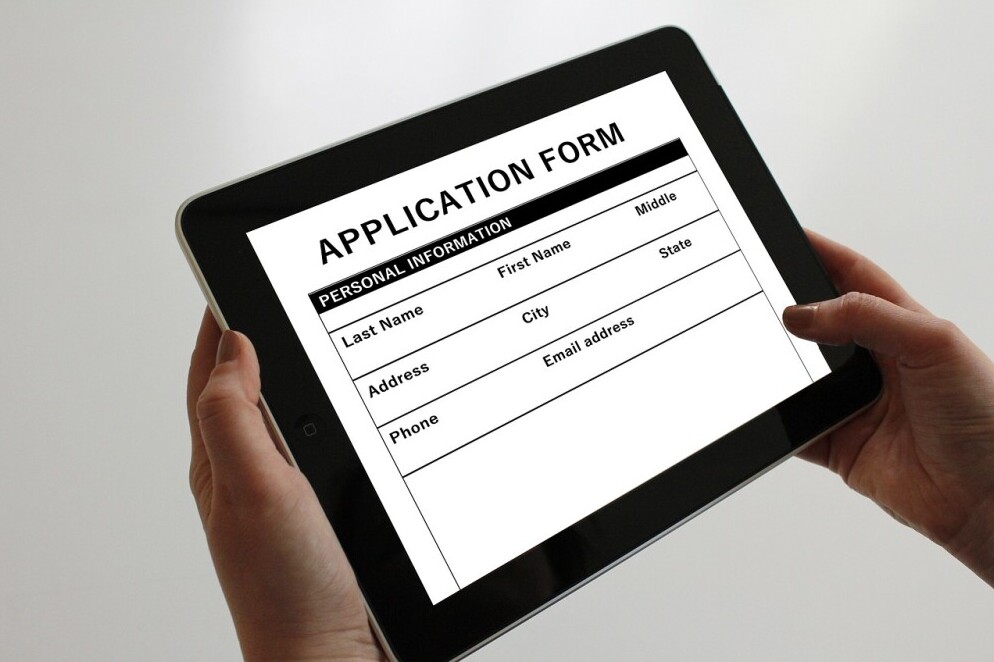
Scammers are creative. Here are the most frequent fake jobs targeting remote workers:
🔸 Data Entry Scams
Advertise high pay for typing or Excel work. Usually require you to buy software or training first—then ghost you.
🔸 Reshipping/Logistics Scams
You’re asked to receive and ship items from home. In reality, you’re helping launder stolen goods. This scam could get you into legal trouble.
🔸 Fake Check Employment Scams
You’re “paid” upfront by check, told to wire part back. The check bounces later, leaving you responsible.
🔸 Survey & Mystery Shopper Scams
They promise $100 per survey but request your banking info or a sign-up fee first.
🔸 Coaching or Course Scams
Disguised as mentorship or passive income programs. After free webinars, you’re pressured into buying $997+ courses based on fake testimonials.
✅ Section 4: What a Real Remote Job Listing Looks Like
Look for these green flags:
✔️ Clear Job Title & Description
Detailed, structured, and written in a professional tone. List:
- Day-to-day responsibilities
- Tools or software you’ll use
- Required experience or certifications
✔️ Professional Contact Details
Emails should come from a real domain, and the company should have a verified online presence.
✔️ Real Interview Process
Expect:
- Resume submission
- Screening interview
- Skills assessment (if applicable)
- Offer letter and onboarding steps
✔️ Listed on Trusted Job Boards
Examples:
Job Site
Why It’s Trusted
FlexJobs
All listings hand-reviewed
We Work Remotely
Only verified companies are allowed
Remote OK
Reputable freelance and tech jobs
Laptop Marketing Mom
Curated scam-free WFH job listings and tips
💡 Section 5: Tools to Protect Yourself
- Use a burner email for job applications
- Don’t save resumes on sketchy job boards
- Enable two-factor authentication on your email
- Bookmark safe job hubs, like this blog
🌟 Bonus: Want a Scam-Free Online Income Path?

Skip the risky listings and build your own digital income through affiliate marketing, blogging, and more.
Try Wealthy Affiliate – a legit platform where you’ll learn:
- How to build a money-making website
- How affiliate marketing works (step-by-step)
- How to monetize your content ethically
No upsells, fake checks, or shady recruiters—just training, support, and tools. You can even try it 100% free, no card needed.
🧭 Final Thoughts: You Deserve Safety and Support
Scammers are getting more advanced—but you can stay one step ahead. Use this guide as your defense and share it with anyone you know looking for remote work.
Protect your time. Protect your finances. Protect your peace.
Your journey to a balanced and fulfilling work-from-home life starts now. Best of luck!
~Kay~
This article does a great job outlining common signs of fake online job postings like unrealistic pay, lack of company info, and requests for upfront payments. I’ve learned that checking a company’s online presence and contacting them directly can help avoid scams. What trusted tools or sites do you recommend for verifying job postings before applying?
Hi Kiersti,
Great point—and thank you! I always recommend using sites like the Better Business Bureau, Glassdoor (with caution), and LinkedIn to check company credibility. For job postings, Stick to trusted platforms like FlexJobs or Remote.co. And when in doubt, always go directly to the company’s official website to verify openings.
Scammers do not wait for me to look at job boards, as I receive emails and text messages from “recruiters” offering me remote work. Although I received several legitimate-looking offers from a recruiting company I recognized for jobs with well-known corporations, most job offers had the red flags you described, particularly high salaries and sketchy job descriptions. I believe scammers review social media profiles to identify potential victims. My LinkedIn profile contains the most information about my bona fides, but the scam offers are generic and full of red flags.
Hello,
Thanks for sharing. Scammers do scrape LinkedIn, so keep DMs cautious: verify the recruiter on the company site/LinkedIn, insist on company-domain email (not Gmail/WhatsApp), never pay for “equipment” or “training,” and apply only through the official careers page. You can also lock down LinkedIn visibility for phone/email under Settings → Visibility to reduce the risk of cold-text scams.
This article is a must-read for anyone exploring remote work in 2025. Scammers are getting more sophisticated, and unfortunately, those seeking flexible, home-based jobs are often the easiest targets. I appreciate how clearly you’ve laid out the red flags—it’s practical advice that could genuinely save someone from being scammed.
For those looking for a legitimate way to earn online, I highly recommend checking out Wealthy Affiliate. It’s one of the few platforms I’ve found that offers real training, honest support, and a community of people actually building ethical online businesses—no fake checks or surprise fees. It’s been around for years and has built a solid reputation for transparency and results.
Thanks again for this eye-opening post. More people need to be aware before they apply!
Hello
Thank you—appreciate you spreading the word. Scammers are getting slick, and clear red flags help people pause before they click.
I can relate to this article because just recently I was contacted by text after applying for several remote positions through indeed. The text keeps asking me if I had computer skills and printer to print out checks, my simple answer yes what company do you represent. This person deleted the text and keep repeating the same text. Out of curiosity I called the number, this person couldn’t barely speak English and hung-up phone. This number was blocked from my cell phone. What makes it sad, real companies that need workers cannot seek help because our information is stolen. This is a very good read and will help you share to get others to be aware of fake jobs.
Hi Jeanette
Wow, that’s insane—but sadly way too common. You did the right thing blocking them. Thanks for sharing your experience—it really helps others stay alert!
After nearly falling for a ‘virtual assistant’ scam that wanted me to pay for ‘training materials’ upfront, this guide feels like the flashlight we all need in the dark alley of online job hunting. What terrifies me most? How legit these postings look now – fake Glassdoor reviews, stolen company logos, even entire cloned websites.
Three red flags I wish more people knew:
The ‘urgent hiring’ trap – Real companies don’t need you to start tomorrow with no interview
Payment method tells – When they insist on crypto or ‘check deposits,’ it’s game over
The ‘Google Chat interview’ scam – Since when do Fortune 500 companies hire via Gmail?
Hello,
Absolutely agree with you—it’s scary how sophisticated these scams have become. Thank you for sharing your experience. That “urgent hiring” pressure tactic gets so many people, and you’re right on about the payment red flags. No legit job should ever cost you money upfront. Hopefully, more people read your comment and stay alert. Appreciate you adding to the conversation!
This article demonstrates clear expertise and genuine concern for remote job seekers, offering a well-organised, actionable guide to spotting and avoiding employment scams. The detailed red flags, real-world scam examples, and investigative tips show strong firsthand knowledge, while the supportive tone makes it approachable and empowering.Overall, it’s a trustworthy, comprehensive resource that reflects your depth of experience in the work-from-home space.
Looking forward to your future posts!
Keep up the good work!
Thank you so much, S.J.! I’m really glad the guide felt practical and encouraging—helping people avoid WFH scams is a big reason I run Laptop Marketing Mom. If there are specific red flags you’ve seen (or a posting you’re unsure about), feel free to drop them here, and I’ll break them down in a future update. I’ve also got more resources coming—quick screening steps, sample outreach scripts, and a “safe-apply” checklist—so stay tuned!
Hi there –
You nailed it—online job boards have unfortunately become a hotspot for scammers, especially with the return-to-office push creating more urgency in the market. Opportunists know people are actively looking, and they take full advantage.
I’ve come across listings that seemed off—like roles offering unrealistically high pay for minimal work or ones that were so vague they raised immediate red flags. You did a fantastic job pointing out those warning signs. Posts that sound too good to be true usually are. Thanks for helping job seekers stay alert and informed!
Cheers,
Godwin
Thanks so much, Godwin—well said. The RTO churn definitely created fresh cover for scammers, and those “easy work, high pay” + super-vague listings are classic tells.
Quick 60-second checks I recommend:
Company email/domain and website match
Real employees on LinkedIn (not brand-new profiles)
Pay range aligns with market rates.
No requests for SSN/banking info before an offer
If you spot another “too good to be true” post, feel free to share it—I’m happy to break it down and add it to the guide’s examples. Appreciate you helping keep job seekers alert and informed!
~Kay~
Great insights—this post really highlights why vigilance is crucial in today’s job hunt. I appreciate how you outlined clear warning signs like unsolicited offers, vague job descriptions, and demands for personal or financial information. Your reminder to research the company directly and trust our gut is spot-on and empowering. One thing I’m curious about: have you come across examples where scams use AI-generated communications that look almost flawless—making grammar or phrasing checks less reliable—and if so, how do you recommend still spotting those subtle red flags?
Great point, Hanna. AI makes scams look polished, so watch for:
• Channel shift: pushes Telegram/WhatsApp or ‘chat-only’ interviews.
• Fake domains: recruiter at @company-careers.com instead of @company.com.
• Process skips: instant offer, no live interview, asks for SSN/banking/equipment $.
• Vague details: no manager name, team, or verifiable posting.
Quick check: confirm the role on the company’s careers page and email the main HR address to verify. Want a 1-page checklist?
This is great information as there are so many scams out there. I know when I was looking for a work at home job, I got burned more then a couple times. I learned that if they want a fee up front for training or materials or whatever, to steer way clear from it. I never thought to do a whois check. I have kind of learned to just stay away from jobs that look and sound sketchy with very few details.
Leahrae, thank you for sharing this—sorry you got burned, but your tips are correct: any ‘job’ asking for an upfront fee = hard pass. I love the idea of adding a WHOIS check, too. If you ever want a quick legit-check, drop the posting and I’ll help vet it.
I really appreciated how practical and clear the guide is, especially in cutting through the noise of so-called “too good to be true” job listings. It’s empowering to see such actionable advice laid out in a straightforward way.
For me the Key Takeaways were:
– Red flags like vague job descriptions, unrealistic pay, or early requests for personal info (especially bank details) are classic warning signs.
– If a job posting keeps popping up, never seems to close, or uses overly catchy job titles, it might be what’s commonly called a ghost job a tactic some companies use just to gather resumes or appear busy
– The recommendation to always verify on the company’s official site and to scan the internet for reviews or mentions before applying is solid, it’s a simple but effective strategy.
Highlighting examples such as “asks for money upfront” or “doesn’t mention a company by name” makes it super easy to visualize what a scammy job post might look like.
I love how straight‑forward this is, no fluff, just real tips, straight to the point! It’s the kind of practical advice that saves time and stress. I especially like the ghost‑job insight, I didn’t know companies would post jobs just to collect resumes!
Thanks to Kay and Laptop Marketing Mom for a no-nonsense, useful guide. In today’s online world, that kind of clarity is invaluable for anyone navigating remote job searches.
Kind regards,
Martin
Thanks so much, Martin! I’m glad the red-flag list and “verify on the official site” tip helped—ghost postings are everywhere. If you spot any new scam patterns, please share them here so I can keep the guide updated for everyone.
I spend a fair bit of time scanning online roles, and I’ve definitely come across more than a few of these “red flag specials.” This article really nails it—solid advice, clearly laid out and easy to digest.
One listing I saw recently wanted a “data entry assistant” but asked for an upfront payment to “secure the software license”—classic scam move. I appreciate the straight talk here. Just get to the message. Well done.
It’s a helpful reminder for us all to trust your gut and do the homework before clicking apply.
Thanks so much, Mark—appreciate it. That “software license” fee is a classic scam. Another quick red flag: moving the chat to WhatsApp/Telegram and asking for gift cards or crypto. If you spot new tricks, share them here and I’ll add them to the list to help others. Stay safe!
Hi Kay,
This is hands down the most helpful and refreshingly honest post I’ve read on spotting fake online jobs. Thank you for breaking it down so clearly—without all the fluff or fear tactics. The way you laid out the red flags vs. green flags makes it incredibly easy to digest, even for someone who’s been around the digital block a few times.
Most people think they’re too savvy to get scammed… but I’ll admit, I nearly fell for a jury duty phone scam once—and I consider myself pretty street smart. That experience taught me how slick these scams have become, and your guide is exactly the kind of resource I wish more people had in their toolkit.
Bravo for shining a light on this mess and offering real tools to stay safe. Sharing this with my community for sure!
Thanks so much, JarieLyn! You’re right—scams are getting slick, which is why those red-vs-green flag checks matter. Appreciate you sharing it with your community, and if you spot new scam tactics, drop them here so we can keep folks safe.
I’ll never forget applying for a remote job with an insurance company I’d admired for years. The listing seemed perfect—great pay, flexible hours, and a chance to work with a reputable brand. The job description looked identical to what I had seen on their official site, and even the logo was spot on. I quickly sent over my resume, personal details, and felt excited.
But soon, things got weird. The next step was an “interview” over email, and they asked for a payment for a background check. I should’ve seen the red flags, but I was too invested and hoped it was just part of the process. After paying, the emails slowed down, and eventually, I couldn’t get a response.
When I finally looked deeper, I discovered the company had no idea about this job posting. It wasn’t them at all—it was a scam. The emails and website were fake. I’d been duped into thinking I was in the running for a real job when I was just another victim of someone exploiting my hopes for remote work.
It was a tough lesson on how convincing these scammers can be. They craft everything perfectly, making it almost impossible to tell the difference unless you’re super cautious. It really stings to realize you’ve been played.
Linda, I’m so sorry—this is awful, and you’re right: scammers are getting polished.
Key red flags you hit: pay-for-background-check, email-only “interview,” then ghosting. Unfortunately, this scenario happens quite often.
Thank you for sharing this! It’s a breath of fresh air, especially after my recent experience. I was nearly taken in by a fake online job that promised a huge income, but thankfully I realized it was a scam before I got too involved.
So, I truly appreciate how straightforward and realistic these suggestions are. As a mom looking to bring in an income from home, it’s incredibly encouraging to see options that don’t require a massive upfront investment or years of formal experience.
The virtual assistant role really caught my eye because it seems so flexible and in-demand. Do you have any tips on how to land that first client, especially when starting from scratch without a professional background?
Elke
Hello,
I’m so glad you caught that scam—and yes, VA is a great first step. Quick path to your first client:
Pick 2–3 starter services (inbox cleanup, calendar, simple Canva posts).
Create proof fast: 2 mock emails, 1 sample calendar, 3 Canva posts—put them on a one-page portfolio (Canva/Google Doc).
Warm outreach: message 10 local businesses/mom-run shops you already follow—‘I help with X/Y; here are 3 samples; have 5 hrs free this month.’
Starter offer: 5–10 hour trial at an entry rate, convert to monthly package.
Get a testimonial after week 2.
If you want, I can share a mini pitch script + a one-page portfolio template.”
This was such an eye-opening and well-organized post. With remote work becoming more popular, it’s scary how convincing some of these scams have become especially the ones with inflated pay and no interviews. I really appreciated the step-by-step tools on how to investigate job listings and verify their legitimacy. The breakdown of scam types was super helpful and something I’ll be sharing with friends and family. Have you ever personally come across one of these scams or heard from readers who have?
Thanks—appreciate that. Yes, I’ve seen the ‘chat-only interview + equipment reimbursement’ scam, and a reader was asked to buy gift cards (huge red flag). My quick rule: verify the role on the company’s careers page, email HR at the real domain, and never share SSN/banking until a signed offer.